Two shops, one stock system, no phone calls between branches.
Each store keeps its own count, a transfer moves stock from one branch to another in a single step, and any product can carry its own price in each store.
What goes wrong with a second branch
The second shop opens and suddenly there are two sets of numbers. A customer at the mall branch wants a colour that is sitting in the street shop, staff call each other to check, someone carries a bag across town, and neither shop updates its count.
Prices drift too. The mall store needs a different price on a few lines, so someone keeps a separate price sheet, and the cashier at the other branch uses the wrong one.
How Timeo handles more than one store
Stock lives per variant and per location. Each sale, refund, delivery and stocktake belongs to the store it happened in, and the Stock page can show one store or All locations, so you see where every unit is.
Moving stock is a transfer, not two edits. Press Transfer on an item, pick the Destination location and the quantity, and Timeo takes it off one store and adds it to the other, with both sides written to the movement log. It refuses to move more than the source has on hand.
Location pricing lets a product carry a Store price at one shop while the others use the default, and a variant can be switched off so it never shows at a store that does not stock it.
Add your second store
- On the Team plan, open Settings > Locations and add the new store.
- In More features (Settings > Features), turn Starter mode off and switch on Inventory & supply chain.
- Open Inventory > Stock, pick the store, and enter its opening counts with Adjust.
- To move stock, press Transfer on the item, choose the Destination location and quantity, and press Transfer stock.
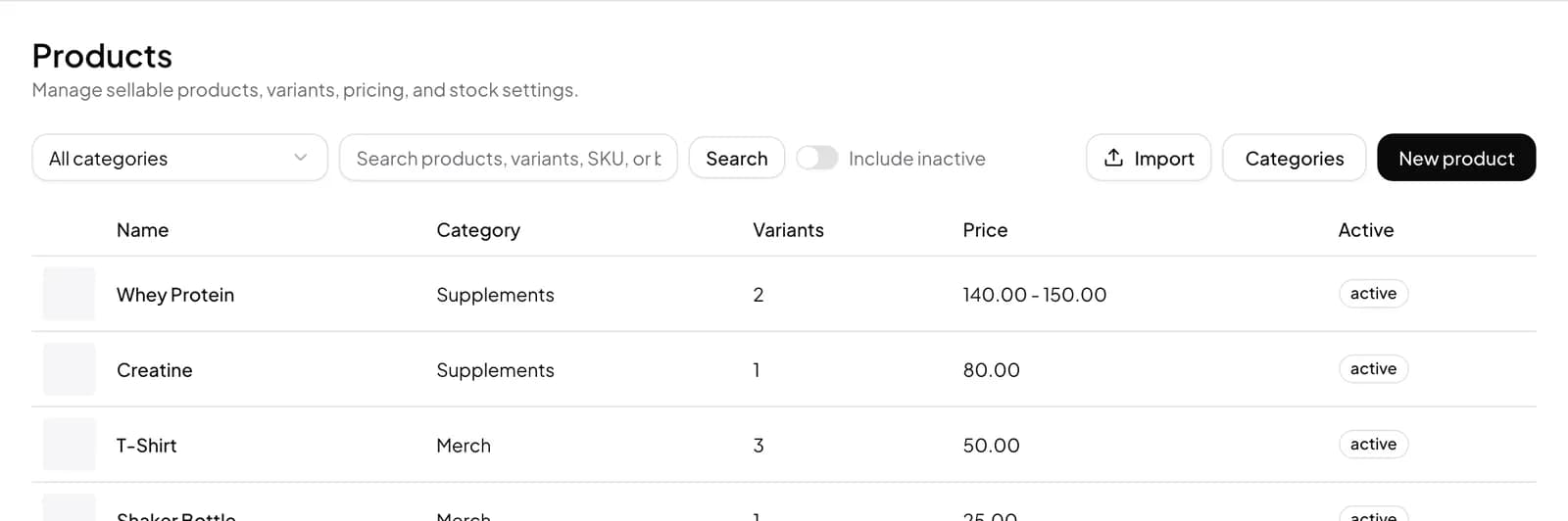
- For a different price in one store, open the product in Catalog > Products and set the Store price under Location pricing.
What shoppers notice
A shopper who asks for a size that is out at one branch gets a straight answer about the other store, because staff can see its count instead of phoning around.
Prices are consistent with what each store advertises, and a transferred item shows up as sellable at the new branch as soon as the transfer is saved.
Questions
Which plan do I need for two shops?
Team. Basic and Advance are for one location; Team allows as many locations as you open.
How do I move stock between branches?
Use Transfer on the Stock page. Pick the Destination location and quantity, and both stores update together with the transfer in the movement log.
Can each shop have its own prices?
Yes. Location pricing sets a Store price per location; leave it blank to use the default price. You can also hide a variant at one store.
Can I count stock in one store at a time?
Yes. Every stocktake is started for one location, and only that store changes when it is completed.