Online appointment booking for clinics, by practitioner and room.
Patients choose the service, the practitioner and a time that is really free, while the front desk keeps phone calls and walk ins on the same calendar.
Why clinic phone lines become the bottleneck
Most clinic bookings still start with a phone call during opening hours. The receptionist juggles a ringing line, a patient at the counter and a paper diary, and anyone who calls at lunchtime or after closing simply books somewhere else.
Even when an appointment is taken, two practitioners can end up sharing the only treatment room at the same hour, or a physio is booked on the afternoon they are on leave. Fixing it means more calls to patients who already planned their day.
How Timeo takes clinic bookings
Your booking page lists your services with their length. A patient picks a service, then a practitioner or Any available, then a time. Only times when that practitioner is working and not already booked are shown, so the diary cannot be double booked from outside.
Give a service a room type and every booking also takes a free room of that type, held for the length of the visit. Dental clinics see Rooms called Chairs, so each chair is booked like a practitioner.
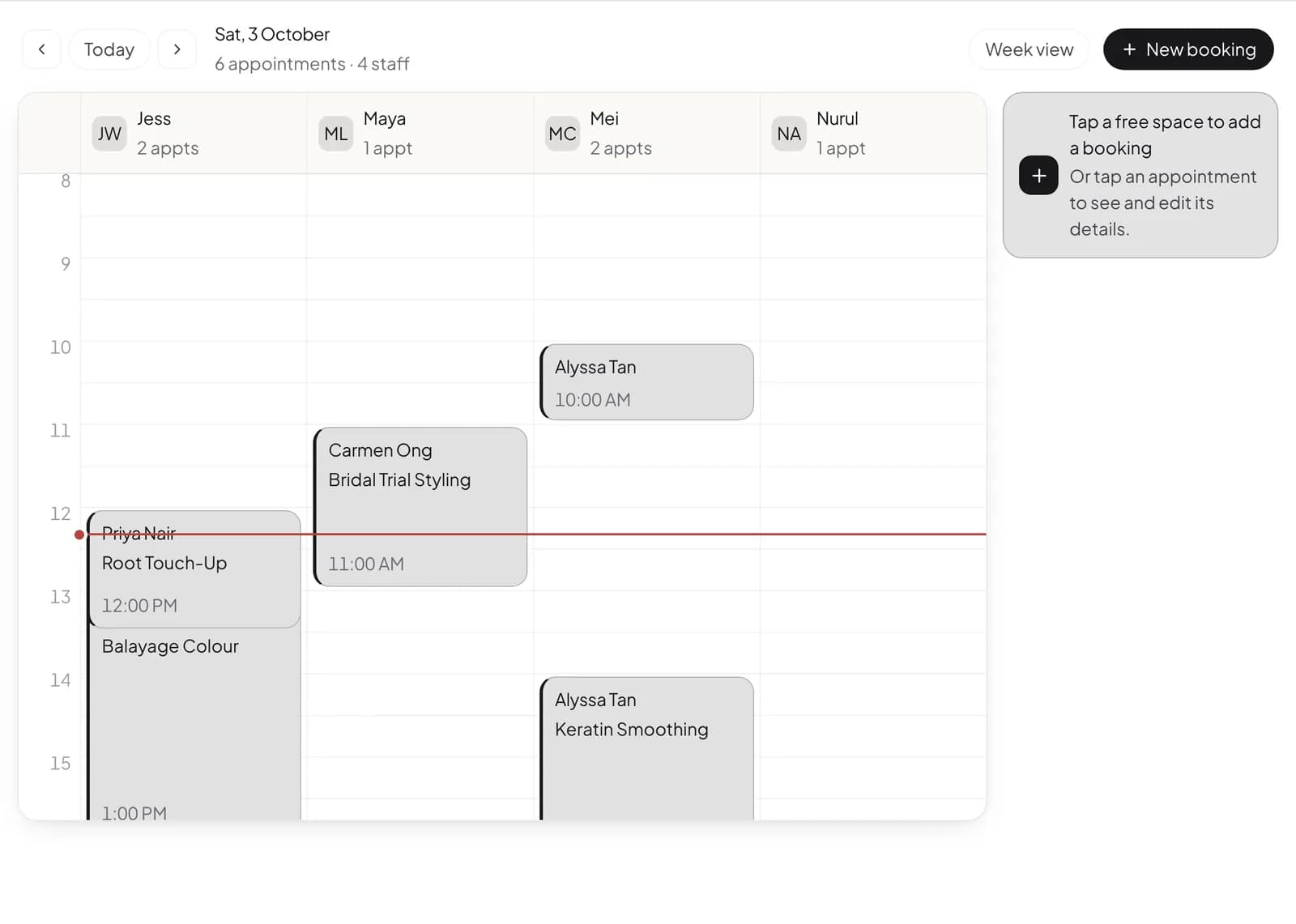
Each practitioner keeps their own weekly hours and days off. Bookings from the page, from the phone and from the counter all land on one calendar that you can view by staff or by room.
Open online booking for your clinic
- Pick Clinic when you sign up, then add your services with their duration under Booking setup > Services.
- Set each practitioner's weekly hours and leave under Team > Hours and leave.
- If treatments need a room, add your rooms under Booking setup > Rooms (Chairs for dental clinics) and set a room type on those services.
- Copy your booking link, or open Booking setup > Booking widget and choose Floating button, Inline button or Direct link to add a Book now button to your own website.
What patients see
Patients move through five short steps: Service, Staff, Time, Details and Review. If they pick Any available, each time shows which practitioner is free and they see the name before they confirm.
They do not need an app or an account to book. After booking they get a confirmation, and reminder messages carry a link back to their appointment.
Questions
Can patients choose a specific practitioner?
Yes. They pick a practitioner or Any available, and only see times when that practitioner is working and free.
Can a booking hold a treatment room as well?
Yes. Set a room type on the service and each booking takes a free room of that type for the length of the visit.
Can I put the booking button on my own website?
Yes. Booking setup > Booking widget gives you a floating button, an inline button or a direct link, with no iframe to maintain.
What about patients who call or walk in?
Staff add them on the same calendar, so online, phone and walk in visits never overlap.
Does it work for a dental clinic?
Yes. Pick Dental clinic when you sign up and the menu speaks dental: Patients instead of Customers and Chairs instead of Rooms.