A tuition timetable that fills its own seats.
Set each subject up once with its teacher, room and seat limit, and Timeo keeps four weeks of classes ready for parents to book.
Why tuition timetables get messy
A centre running Primary 5 Maths on Mondays and Thursdays, two Science groups and a Saturday English class ends up with a timetable in a spreadsheet, a class list in a chat group and seat counts in the teacher's head.
Parents message to ask if there is still space, the admin checks three places, and a popular class ends up with more children than chairs while the group next door has gaps.
How Timeo builds the timetable
Each regular class is a class template: the class name, the teacher, the room, the length, the weekdays and the start time, and a capacity that is the number of seats. If the same subject runs at two times, add another time to the same template instead of creating a second one.
Timeo generates the next four weeks of classes and keeps adding new ones every night, so the timetable never runs dry at the end of the month.
When a class is full, parents can join the waitlist. If a seat frees up, the first child waiting is moved in automatically and the parent is emailed, so the admin does not have to phone around.
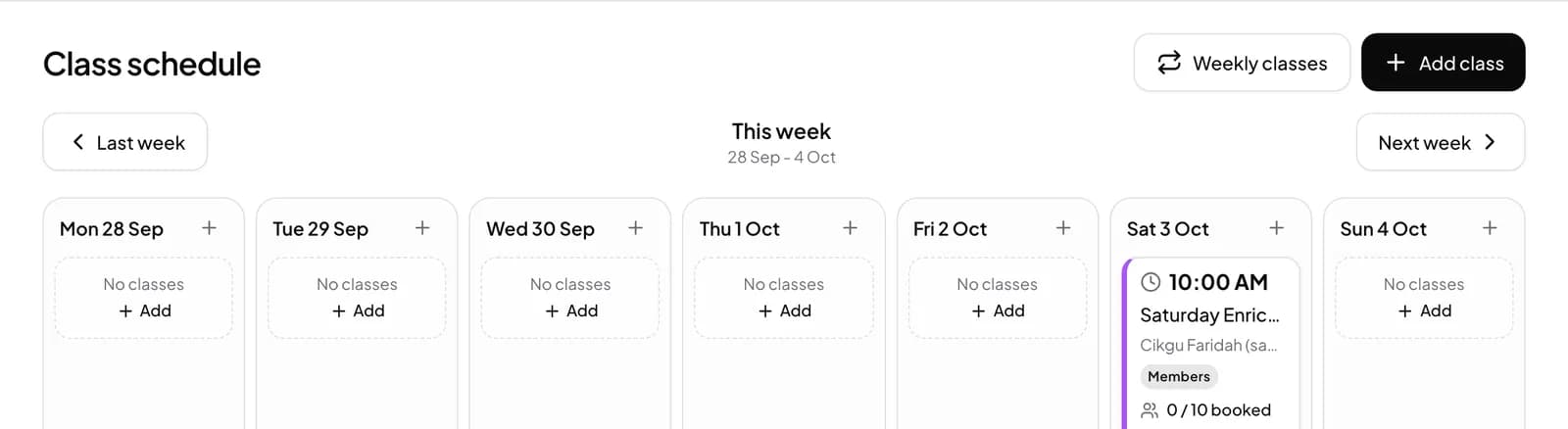
Build your timetable
- Pick Tuition when you sign up.
- Open Booking setup > Class templates and press New template.
- Fill in Class name, Staff (the teacher), Room, Duration (minutes) and Capacity, choose the Weekdays and Start time, and use Add another time for a second slot.
- Press Generate all (4 weeks), then check Booking setup > Class schedule to see the week.
- In More features (Settings > Features), keep Waitlist for full classes on.
What parents see
Parents open your member page and see Pick a class, then Pick a teacher, with the seats left on each class. Booking is one tap on Book class.
If the class is full they can tap Join waitlist. Class prices are not shown on the booking screen, because families book with the package they bought.
Questions
Can one subject run at several times a week?
Yes. One class template can hold several start times with Add another time, so a subject stays one entry on your list.
Can I limit how many students join a class?
Yes. The Capacity on the template is the seat limit, and parents cannot book beyond it.
What happens when a class is full?
Parents can join the waitlist. When a seat frees up the first child waiting is booked automatically and the parent gets an email.
Do I have to rebuild the timetable every month?
No. Classes are generated four weeks ahead and topped up every night from your templates.
Can parents with several children book them all?
Yes, on Advance and above. With family accounts a parent books a seat for each child from one login.