Order ahead coffee, ready when they walk in.
Regulars order on the way in, the barista sees the order before they arrive, and the counter hands it over against a pickup code.
Commuters who walk past the queue
The morning commuter has five minutes. If the line is ten people deep, they keep walking to the kiosk across the road and you lose a sale you would have made every weekday.
Orders that come in by chat or phone are worse than none: they are typed into the till by hand, made late, and handed to the wrong person when two flat whites sit on the counter.
How order ahead works in Timeo
Customers open your cafe on your Timeo page in their browser and choose Order ahead, pick up at the counter. They choose drinks with your usual options, when to collect, and how to pay.
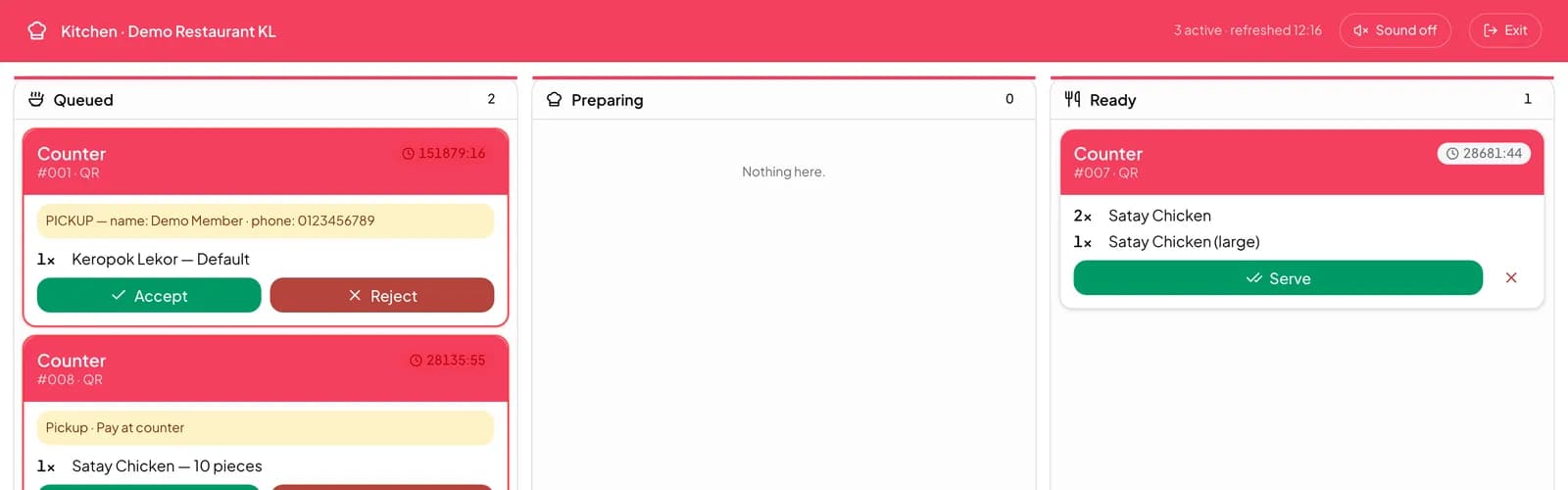
New orders arrive in Sales > Incoming orders. Accept one and it goes to the kitchen screen and the bar; reject it if you are closing early. Sales > Pickup orders then tracks each order through New, Packing, Ready and Collected.
At the counter, press Verify pickup and scan the customer’s QR or type their Pickup code. The right cup goes to the right person even when the counter is crowded.
Open order ahead at your cafe
- Check your drinks and options are in Catalog > Products and Catalog > Modifier groups.
- Connect an online payment provider in Settings > Payments if you want orders paid in advance.
- Keep Sales > Incoming orders open at the bar and accept orders as they arrive.
- Hand over from Sales > Pickup orders using Verify pickup.
What customers see
Customers pick a drink, choose their milk and size, and either collect as soon as possible or on a date they choose. They can pay online, from their wallet credit, or at the counter if you allow it.
They follow the order from Placed to Preparing and Ready, then tap Show pickup code at the counter. Tomorrow, Order again repeats the usual in a tap.
Questions
Do customers need to download an app?
No. They order on your Timeo page in the browser, signed in to their Timeo account.
Can I stop online orders during a rush?
Every online order waits in Sales > Incoming orders until you accept or reject it.
Can customers pay when they collect?
Yes, if you offer it. They choose how to pay when they place the order.
How do we avoid handing the wrong cup over?
Verify pickup on Sales > Pickup orders checks the customer’s QR or pickup code before the order is marked collected.