Gym access control that knows who has paid.
Every scan at the door is checked against the member’s live plan, so expired members are stopped politely and paying members walk straight in.
The door is where gyms leak money
A member’s plan ended three weeks ago, but their old key fob still opens the turnstile. Nobody notices until the monthly numbers do not add up. Meanwhile a friend borrows a card at 6am when no staff are on shift.
Standalone door systems keep their own list of people, so somebody has to add and remove members by hand every time a plan is sold, renewed or lapses. That job is always the first one to slip on a busy day.
One list for the till and the turnstile
In Timeo the door reads the same membership the front desk sells. When a member renews, the door works again straight away; when a plan ends, the door follows the rule you picked, without anyone editing a door list.
Members can get in with the QR pass in their app, an NFC card linked to their profile, or their face on a supported face terminal connected through the Timeo Gate Agent. The front desk can also check anyone in by name, phone or member ID, and those check ins are logged next to the door scans.
You choose what happens after a plan ends: lock right away, keep the pass working for a set number of days, or always let members in. You can also limit member entry to opening hours, while staff can always get in.
Set up the door
- Open Door access > Hardware to add your reader or face terminal.
- For face entry, open Door access > Face enrollments to enrol members, then watch live entries in Door access > Facial Turnstile.
- In More features (Settings > Features), find Member pass after membership ends and choose Lock right away, Keep working for a few days or Always let members in.
- Optional: under Door opening hours, switch on Only let members in during opening hours.
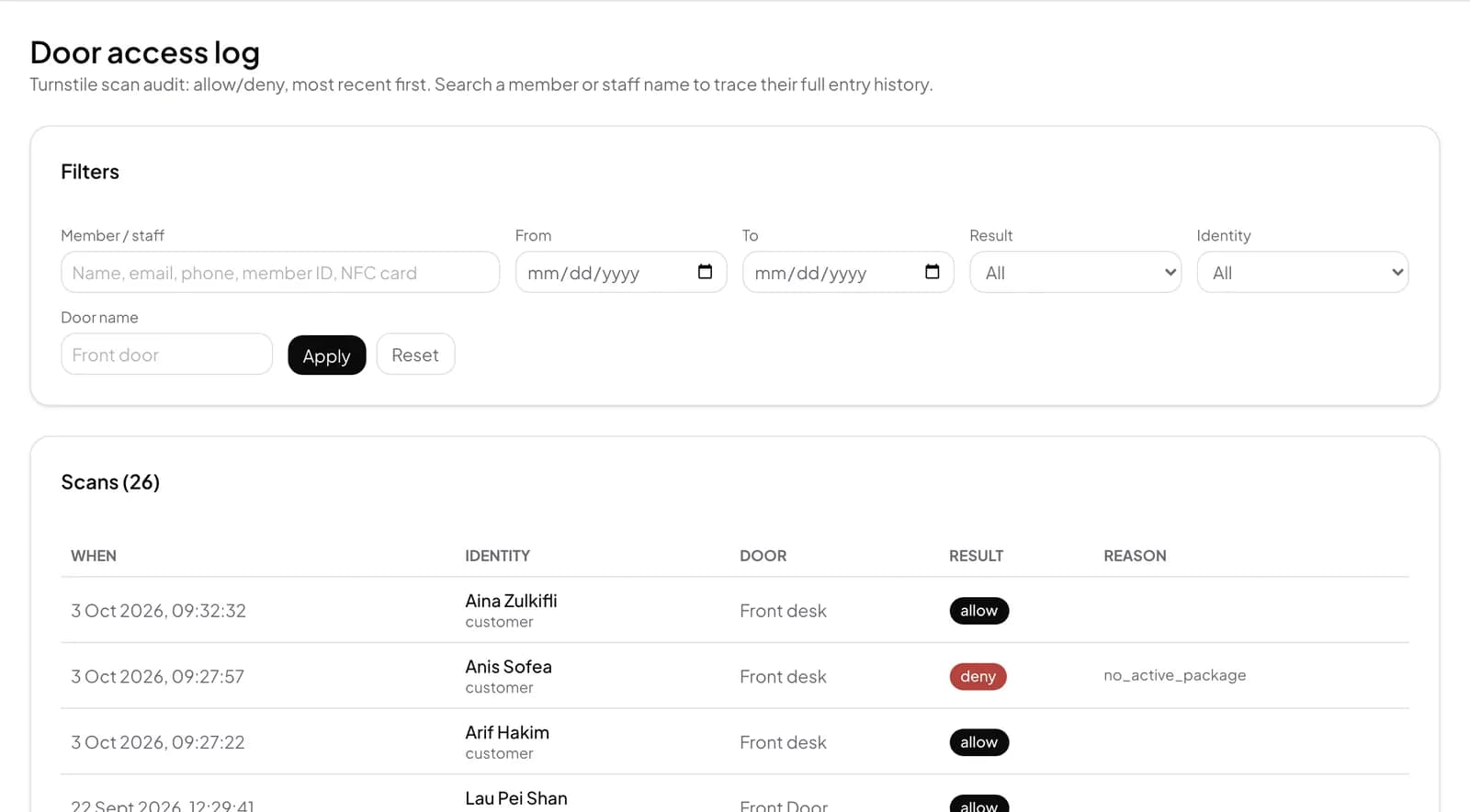
- Check every allowed and denied entry in Door access > Door logs.
What members see at the door
Members open their pass in the Timeo app and hold the QR to the reader, tap their card, or simply walk up to the face terminal. If the plan has ended, the app tells them to renew to scan in, and they can renew from their phone before trying again.
At the counter, staff use the Front desk check-in card on the Dashboard: search a name or scan a pass, then press Check in, Sell plan or Renew for that member.
Questions
Which door hardware works with Timeo?
QR readers, NFC cards linked to member profiles, and Dahua face terminals connected through the Timeo Gate Agent. Without hardware, the front desk can check members in from the dashboard.
What happens when a membership expires?
The door follows the rule you set: lock right away, keep working for a number of days you choose, or always let members in. Inactive members are refused.
Can a visit pack count sessions at the door?
Yes. Turn on First door scan of the day uses 1 session on the plan. Scanning again the same day is free.
Can I keep members out after hours but let staff in?
Yes. Door opening hours limit members only. Staff can always get in.
Is every entry recorded?
Yes. Door logs list every allowed and denied entry, and front desk check ins are recorded the same way.