Gym class booking that keeps every class full and fair.
Build the weekly timetable once, set a capacity per class, and let members reserve, cancel and join the waitlist from their phone.
Why class bookings go wrong in a gym
The 6pm HIIT class is full by lunchtime, three people cancel at 5:30, and the members who wanted those spots never hear about it. The coach teaches to half a room while people who would have come are at home.
Booking by WhatsApp or a shared spreadsheet makes it worse: the front desk spends the evening confirming names, nobody knows the real headcount, and a member who booked through a friend turns up to find there is no bike or mat left.
How Timeo runs gym classes
Each class comes from a class template: the class name, the coach, the room, the duration, the weekdays and start times, and a capacity. Timeo creates the sessions four weeks ahead and keeps topping them up every night, so the timetable never runs out.
When a class fills, members can join the waitlist. If someone cancels, the first person in the queue is booked automatically and gets a "You're in" email, so a late cancel turns into a filled spot instead of an empty one.
You decide how strict to be. Set a cut off so bookings close a few hours before the class, set a cancellation notice period, and, if you sell class packs, choose whether booking a class takes a session from the pack and whether an in time cancel gives it back.
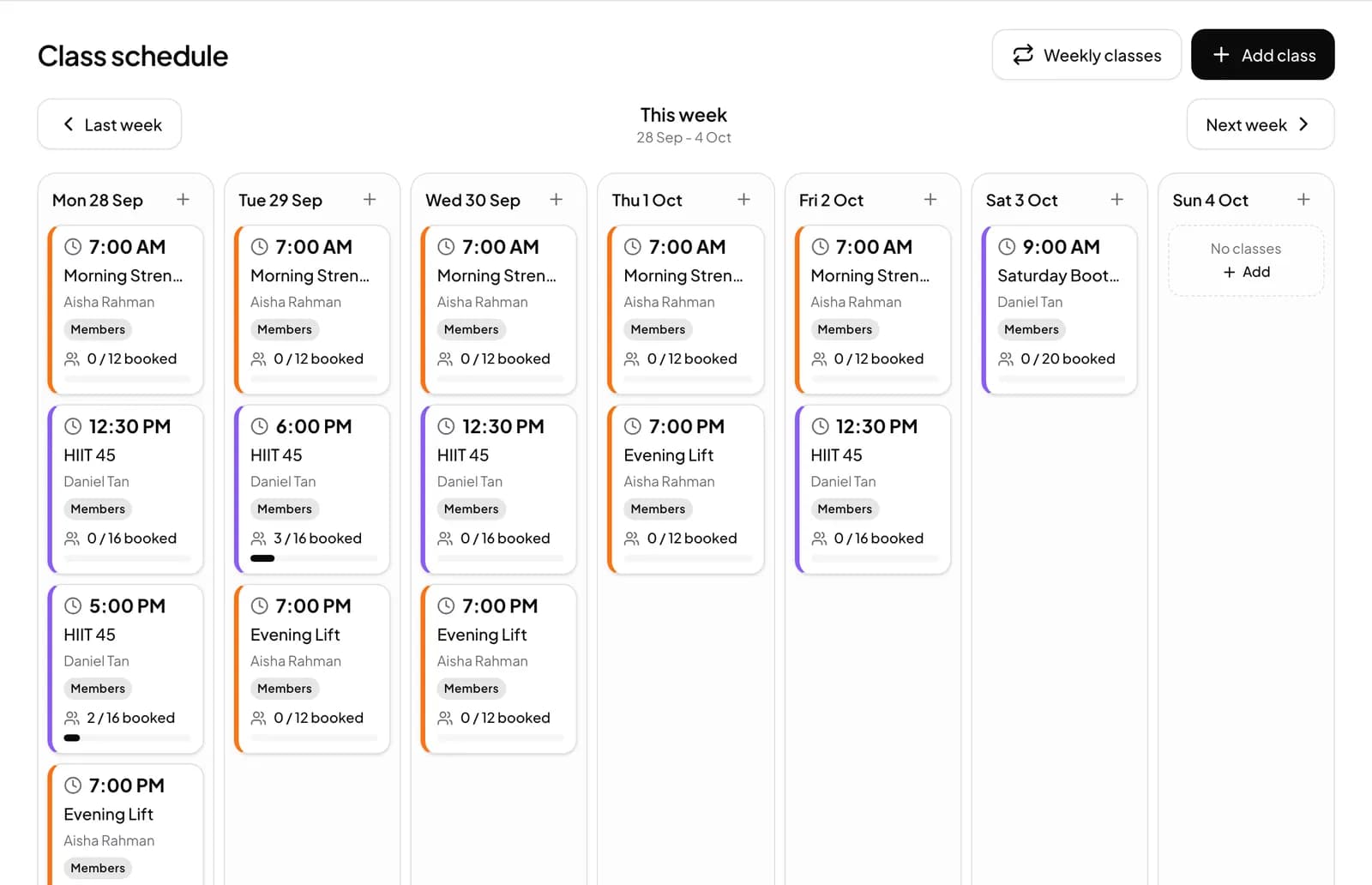
Set up your class timetable
- Open Schedule > Class templates and press New template.
- Fill in Class name, Staff, Duration (minutes) and Capacity, pick the Weekdays and Start time, and use Add another time for a second slot on the same days.
- Press Generate next 4 weeks. After that, new sessions are added every night on their own.
- In More features (Settings > Features), check that Waitlist for full classes is on, and turn on Class bookings use a session from the pack if your members book from packs.
- Set your cancellation notice period under Schedule > Policies.
What members see
Members open your member page in their phone browser (or the Timeo member app, which comes with Advance), pick a day and tap Book a class. They see how many spots are left, and when a class is full the button changes to Join waitlist.
Before they confirm, members see your cancellation rule. If they cancel in time and you give sessions back, the session returns to their pack straight away.
Questions
Can members join a waitlist when a class is full?
Yes. Waitlist for full classes is on by default. When someone cancels, the first person waiting is booked automatically and emailed.
Can I stop bookings close to the start time?
Yes. Set how many hours before a class bookings close, and members see when booking for that class has closed.
Do late cancellations cost the member a session?
Only if you want them to. With Class bookings use a session from the pack turned on, a cancel inside your notice period keeps the session used; an in time cancel gives it back.
Can one coach be blocked from two classes at the same hour?
Yes. Turn on One class per coach at a time and, once a member books one of that coach's classes, the others at the same time show Coach booked.
Do I have to create every class by hand each week?
No. A class template repeats on the weekdays you pick, and Timeo keeps four weeks of sessions ready.