One gym till for plans, shakes and supplements.
Sell a membership, a protein shake and a pair of gloves in the same checkout, and see it all against the member who bought it.
Two tills, two sets of numbers
Many gyms run memberships in one system and the drinks fridge on a separate card terminal or a cash box. At the end of the month nobody can say what a member is really worth, and the counter staff have to remember which screen does what.
Retail at a gym is small but steady: water, shakes, supplements, towels, gloves. When those sales are not recorded properly, stock walks out and the owner never sees which products are worth keeping.
Membership sales and retail on the same counter
Timeo’s POS lives in the Sell menu next to your orders, receipts and cash drawer. Add your products and categories once, and the counter can ring up retail items and plans side by side.
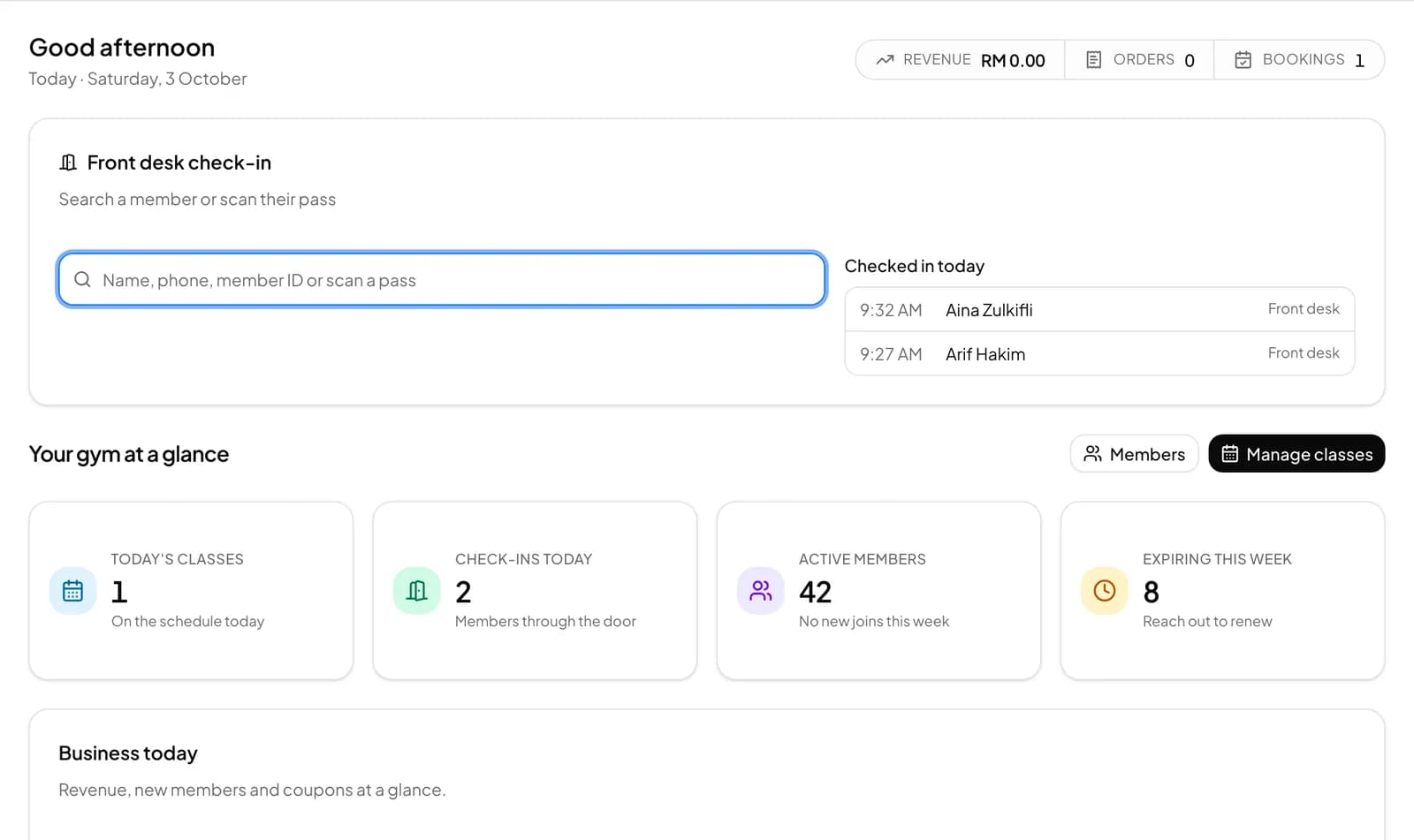
At the front desk, the Front desk check-in card has Sell plan and Renew buttons, so selling a membership to the person in front of you takes a few taps. Each sale lands on the member’s profile with the rest of their history.
On Advance, switch on inventory to track stock of supplements and drinks, count it with stocktakes and reorder from suppliers.
Start selling at the counter
- Open Sell > Products and add your drinks, supplements and gear, with Sell > Categories to group them.
- Open Sell > POS, add items to the cart and take payment.
- To sell or renew a plan for a member, use Sell plan or Renew in the Front desk check-in card on the Dashboard.
- Open and close the till in Sell > Cash drawer, and reprint any receipt from Sell > Receipts.
What members see
Members get a receipt for every purchase, and on Advance a plan sold at the desk shows on their member page and in the member app straight away.
On Advance, members can also buy plans from your store in the Timeo member app, so not every sale has to go through the counter.
Questions
Can I sell memberships and products in one checkout?
Yes. Plans and retail products are sold from the same counter and recorded on the member’s profile.
Does the POS track supplement stock?
On Advance, turn on inventory to track stock levels, run stocktakes and send purchase orders to suppliers.
Can I reprint a receipt?
Yes. Sell > Receipts lists recent completed orders so you can reprint them.
Is there a cash drawer and end of day close?
Yes. Sell > Cash drawer records each shift, and the Z-report and End of day reports close out the day.