A restaurant POS that follows the table from first order to last bill.
Open a ticket for each table, send dishes to the kitchen when the table is ready for them, and split the bill without retyping a single item.
Where a restaurant till breaks down
A table of six orders starters, then mains twenty minutes later, then one more round of drinks. On a basic till the server either rings everything at once, so the mains come out with the starters, or keeps the order on paper and rings it at the end, when half of it is forgotten.
Then the bill arrives and three couples want to pay for their own dishes. The cashier voids the order and rebuilds it by hand while the next table waits. At closing, nobody can explain why the drawer is short, because paid outs and no sale opens were never written down.
How Timeo runs the restaurant floor
Every order in the Timeo POS has a type: Dine-in, Pickup or Delivery. Pick a table and the cart is attached to it. Come back later and the POS offers Resume open order, so the second round goes onto the same tab, or Start a new cart when a table wants a separate check.
With Hold and fire at POS switched on, each line can be held back with Hold item and sent later with Fire to kitchen, one by one or all at once with Fire held items. Mains wait in the POS until the starters are cleared, and the kitchen never sees them early.
Split bill at the register moves chosen items from an open ticket onto a new ticket or another open ticket, and Take split payment lets one bill be paid by several methods. Cash drawer management at POS records paid in and paid out with reasons and gives you a Z report for the shift.
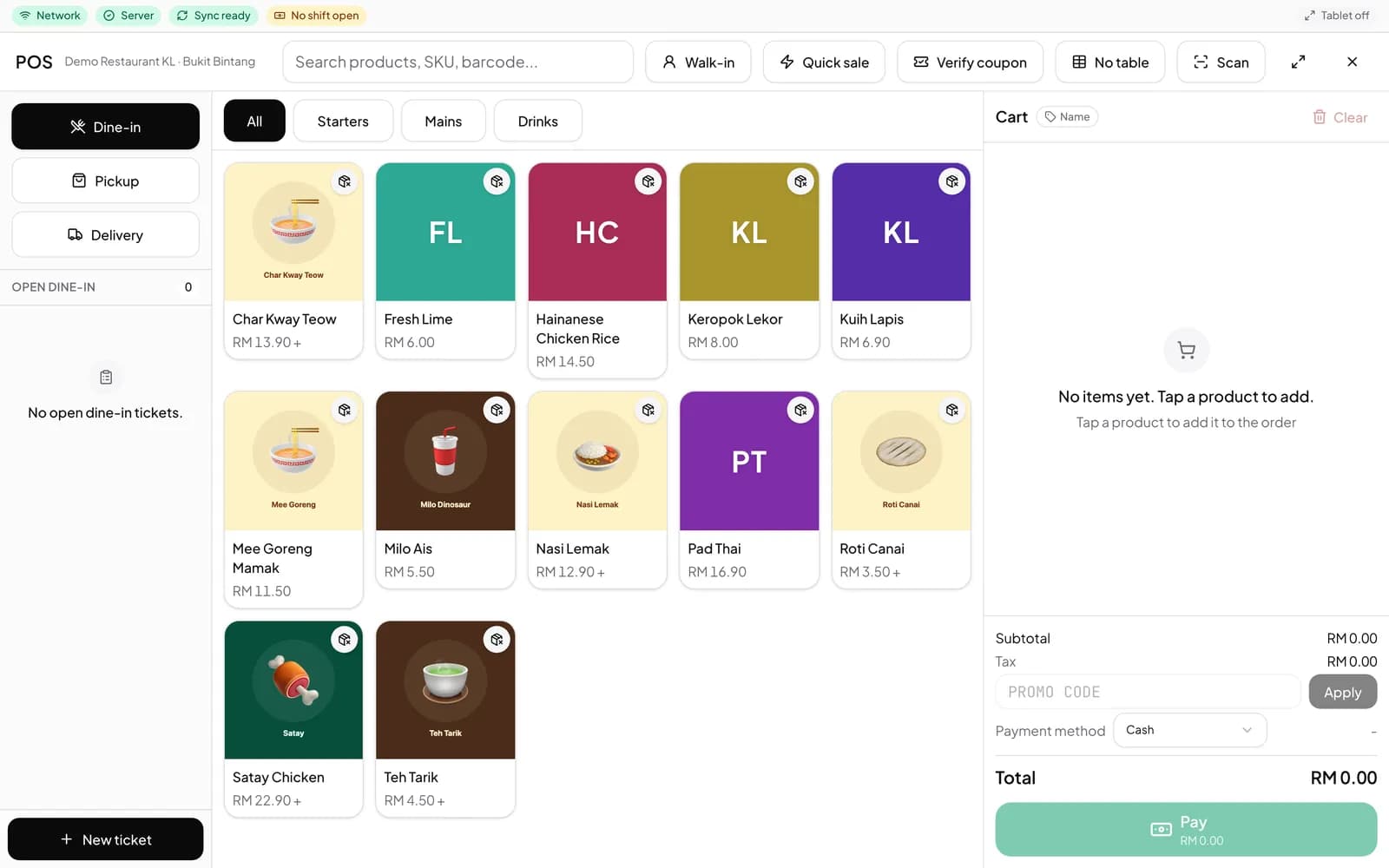
Set up the POS for service
- Add your dishes under Catalog > Products, and sizes, spice levels and add ons under Catalog > Modifier groups. If the menu only shows the essentials, turn off Starter mode in More features (Settings > Features).
- In Settings > Tables, press New table for each table so the POS can attach orders to them.
- In More features (Settings > Features), switch on the register tools your floor uses: Hold and fire at POS, Split bill at the register, Line and order notes at POS and Cash drawer management at POS.
- Open Sales > POS in any browser, or sign in to the TimeoPro app on an Android tablet, then pick a table and start taking orders.
What diners notice
Courses arrive in the order the table wanted, because the kitchen only sees a dish once it is fired. Notes such as no nuts or extra spicy print on the kitchen ticket and the receipt, so the server does not have to remember them.
When the table asks to split, each person gets their own bill for their own dishes in a few taps, and can pay their part with cash, card or QR.
Questions
Does the restaurant POS run on a tablet?
Yes. TimeoPro runs on Android tablets, and the same POS opens in any browser at the counter.
Can I hold mains until the starters are finished?
Yes. Turn on Hold and fire at POS, hold the main course lines, and fire them to the kitchen when the table is ready.
Can a table keep a running tab?
Yes. A dine-in cart stays attached to its table. Pick the table again and choose Resume open order to add the next round.
How do we split the bill between guests?
With Split bill at the register on, move the items each guest had to a new ticket. One bill can also be paid by more than one method with Take split payment.
Can staff refund a dish after payment?
Turn on Refunds at POS and cashiers can refund a completed sale item by item, with a manager approval step.